Halloween is the one party where every guest arrives already in costume. There is no guest of honor because everyone is — which makes it the easiest party of the year to fill a photo display, and the hardest one to photograph yourself. While you hand out candy, run the costume contest, and keep the punch away from the fog machine, the best moments of the night are happening in every corner of the room on other people's phones. The best Halloween party photo displays do two jobs at once. They show the costumes and Halloweens past in photos chosen ahead of time, and they collect the photos guests take during the party itself — the group poses, the costume contest, the kids mid-candy-rush — which is the part of the night the host never gets to shoot.
The best Halloween party photo displays pair a printed costume retrospective — a timeline of the kids' costumes year by year, haunted gallery frames, or a treat-table backdrop — with a live slideshow on the room's TV or screen. Load the costume photos as the slideshow's opening sequence, then give guests a QR code so the party photos they take during the night join the display while it happens.
Continue with Birthday Party Photo Display Ideas or Graduation Party Photo Display Ideas or First Birthday Photo Display Ideas.
The two layers of a Halloween photo display
Most Halloween party photo display ideas cover the printed layer: costume timelines, spooky frames, pumpkin collages. That layer is genuinely the heart of the decoration, because it is the only one that can show years of costumes in one glance. But it is finished before the first guest rings the doorbell, and it cannot capture the party itself — and at Halloween, the party is the costumes your guests spent weeks putting together. The second layer, a live screen that shows guest photos as they are taken, handles the part the printed display cannot.
| Layer | What it is | What it does for the party |
|---|---|---|
| Printed costume retrospective | Photos you choose and print in advance — costume timelines, haunted frames, treat-table backdrops | Shows every Halloween the family has had, sets the mood, and gives arriving guests something to gather around |
| Live guest slideshow | A screen that opens with the same photos, then adds guest photos during the party | Captures every costume in the room, feeds the costume contest, and leaves the host with photos from angles they never saw |
Nine printed Halloween party photo display ideas
These formats use photos gathered before the party — old costume pictures, Halloweens past, and childhood pictures of the adult guests. Aim for a selective set rather than every photo the family owns: a display that can be read in one walk-by gets looked at, and an exhaustive archive gets skimmed.
1. A year-by-year costume timeline
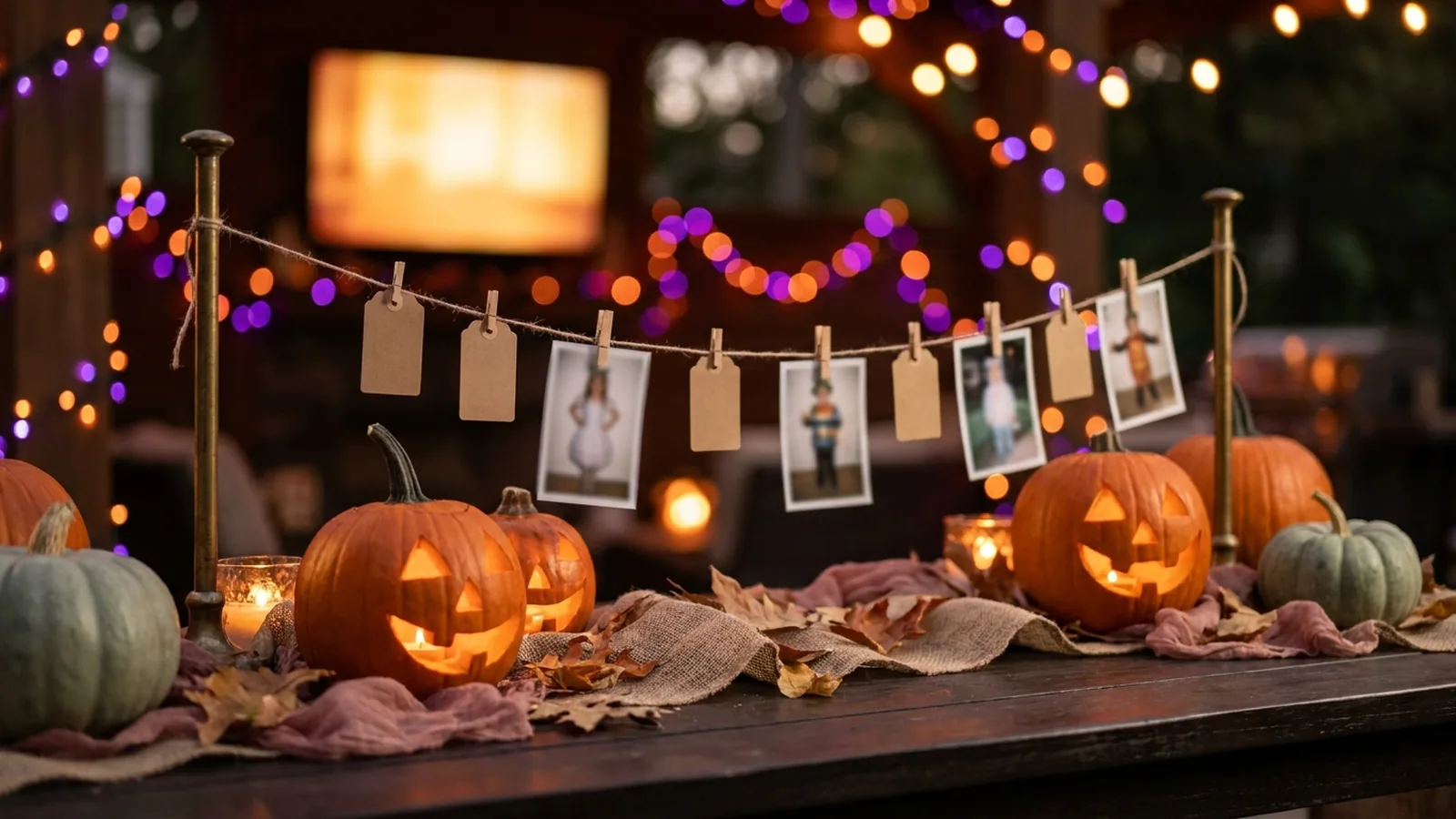
Print one costume photo per Halloween, youngest year to the most recent, and hang them in order along a wall, a staircase rail, or a length of twine with mini clothespins. Guests walk the line and narrate it for each other — the store-bought dinosaur phase, the year everything was a ghost. It is the single most reliable conversation starter at a family Halloween party, and it grows by one photo every year.
2. A haunted gallery wall
Collect ornate thrifted frames, paint them black or gold, and hang a costume photo inside each one with a plastic spider or a stretch of cobweb across the corner. The fancier the frame and the sillier the costume inside it, the better it works. It reads as Halloween decoration from across the room and as a family retrospective up close.
3. A pumpkin-shaped photo collage
Arrange small orange-toned prints into a large pumpkin outline on foam board, with a green paper stem on top. It is the milestone-numeral idea from birthday parties, in costume form: the shape announces the holiday and the photos carry the years. Works especially well behind a treat table where guests linger.
4. Then-and-now costume pairs
Pair a parent's childhood costume photo with their child's current one — same character if the family is lucky enough to have repeated it, otherwise same pose. Compact, funny, and easy to mount on one board when wall space is limited. Grandparents will photograph this display more than anything else at the party.
5. Flying photo bats
Cut bat shapes from black card stock, glue a small costume print or a blank kraft card onto each one, and hang them at different heights from the ceiling or a doorway with fishing line. They move slightly with the room, which draws the eye all night. Leave some bats blank with a marker nearby and guests can write a memory of their favorite costume.
6. A treat-table backdrop
Cover the wall behind the candy and punch table with a grid of prints from Halloweens past, then layer in paper bats and a string of orange lights. Every photo taken at the treat table — and there will be many — carries the whole family's costume history behind it.
7. A costume-clue guessing board
Print childhood costume photos of the adult guests and pin them up unlabeled with a board of numbered paper cards. Guests guess who is who, and the answers get revealed partway through the party. It turns the display into an activity that works for every generation, and it quietly collects old costume photos from every family represented in the room.
8. A front-porch costume gallery
For trick-or-treat night and open-house parties, frame a few of the kids' past costumes and set them along the porch rail or around the door where trick-or-treaters arrive. Parents on the sidewalk linger, point, and tell their own costume stories — the display works on people who never come inside.
9. A trunk-or-treat trunk-lid board
If your Halloween happens at a trunk-or-treat, tape a foam board of past-year photos inside the open trunk lid, flanked by the candy buckets and a battery lantern. Cars around you will have decorations; yours will have a decade of costumes. Add a small sign with your upload QR code and the photos other trunk-or-treat families take land in the same display.
Add a live slideshow that grows all night
The printed layer is complete before anyone arrives. The live layer is the one that grows. It opens with the same photos you printed — the costume timeline loaded as the slideshow's opening sequence — and then adds the photos guests take during the party, on the screen, while everyone watches.
The mechanism is a QR code on a small sign that opens an upload page in each guest's phone browser. Guests scan it with the camera they already use, choose a photo from their camera roll or take a new one, and the display picks it up. No group text to join, no app to install, no collecting phones in a pumpkin bucket at the door.
Phone-camera reference: Apple iPhone QR scanning.
Android-camera reference: Google Lens image and object search.
Set it up in five steps
- Create the event gallery a few days early and load the costume timeline as the opening sequence, so the screen is never empty.
- Generate the QR code and keep a clear margin around it; DENSO WAVE, the company behind the QR Code, calls that margin the quiet zone and recommends leaving it unobstructed.
- Print several small signs with the code and one short instruction, such as "Scan to add your costume photos."
- Test the final printed sign on at least one iPhone and one Android phone, and complete an upload on each.
- Connect a laptop or compatible browser device to the party's TV or projector and start the slideshow before guests arrive.
QR design reference: DENSO WAVE guidance on QR Code quiet zones.
Let the display run the costume contest
A live slideshow and a costume contest solve each other's problems. The contest needs everyone's costume captured in one place; the slideshow needs a moment when every guest is taking photos. Point them at each other:
- Announce the categories early — funniest, scariest, most homemade, best group costume — so guests know their photo is worth uploading.
- Do the costume parade in front of the screen, with one designated photographer per category uploading as it happens.
- Judge from the display, not from memory: the contest entries are already collected on the screen the whole room can see.
- Reveal the guessing board's answers right before the winners, so both moments feed the same crowd.
- After the awards, keep the slideshow running — the night's best candids usually happen after the contest ends.
Match the display to the Halloween you are hosting
| Event type | Printed layer that works hardest | Live layer that works hardest |
|---|---|---|
| Kids' Halloween party | Costume timeline and pumpkin collage at family height; guessing board as an activity | Parents upload the party candids while running games; the contest gets judged on screen |
| Adult costume party | Haunted gallery wall and then-and-now pairs; the decor doubles as the display | The most costume-dense guest list of the year uploads all night without being asked twice |
| Trunk-or-treat or community event | Trunk-lid board and front-porch gallery; displays that work outdoors and in daylight | Families from every trunk add photos to one shared gallery, not a dozen separate group chats |
| Trick-or-treat open house | Porch costume gallery for the sidewalk crowd | The same guest link shared by text collects the night from everyone who stopped by |
Where the display, signs, and screen go
- Entryway or porch: the timeline or gallery wall greets arrivals while their hands are still free.
- Treat or punch table: the photo backdrop plus a small tent-card QR sign reaches guests while their phones are already out.
- Beside the screen: guests watch the slideshow, scan, and see their photo join it — the single most effective placement.
- The costume contest corner: good lighting and a clear backdrop, with a QR sign so every contest photo flows to the display.
- The invitation or the family group chat before the party, so relatives who cannot attend can follow the slideshow anyway.
Privacy, kids, and the screen
- Say on the sign or invitation whether the gallery is viewable by anyone with the link, so guests can decide what they are comfortable uploading — especially photos that include children.
- For school and community events, get a quick okay from parents before group photos of kids go to a shared gallery.
- Keep the screen where a host can see it, and know how to pause uploads or remove a photo mid-party; costume mishaps deserve a fast delete.
- Ask before displaying anyone's childhood photos on the guessing board — the person in the costume gets a vote.
- Treat the gallery as an event collection, not permanent storage; download what you want to keep before the access window closes.
Halloween party photo display checklist
- Collect old costume photos from relatives' phones and albums — the Halloweens past are the display's raw material.
- Choose one printed format that suits the room, porch, or trunk and build it before party week.
- Create the event gallery and load the same costume photos as the opening sequence.
- Generate the QR code, keep its quiet zone clear, and print several small signs.
- Test the printed sign on one iPhone and one Android phone.
- Connect the TV or projector, preview how portrait photos crop, and secure the cables away from the candy rush.
- Start the slideshow before guests arrive so the screen is never blank.
- Announce the code once at the welcome and once before the costume contest.
- After the party, download the guest photos and share the best ones back to the group chat.
How Momently handles the live side
Momently gives a Halloween party one guest link and QR code. Guests open a phone-first upload page in their browser — no app download, no account — and their photos join the same gallery as the costume timeline. The host's chosen photos play first, guest photos follow in a fair shuffle, and the whole night loops on the party's screen for as long as it runs.
Hosts can pause new uploads, remove individual photos, and configure how the player behaves on the display. Photos are stored as private objects and served through temporary signed links. On supported browsers, guest images are resized and converted before upload, which normally removes embedded location metadata, and HEIC or HEIF photos from iPhones are always converted to JPEG in the browser first.
The simplest setup that does both jobs
Pick one printed format that fits your Halloween — a costume timeline if it is a family party, a haunted gallery wall if it is adults, a trunk-lid board if it is a trunk-or-treat — and give it a selective set of the family's costume history. Put those same images on a live slideshow as the opening sequence, hand guests one QR code, and let the party add its own photos to the screen as it happens. The printed layer honors every Halloween the family has had; the live layer captures the costumes that walked in the door tonight. A Halloween party with both ends the night with something no single display can produce: all the Halloweens past, and the one that just happened, in one place.
Questions event hosts ask
What is the best way to display photos at a Halloween party?
Pair one printed costume retrospective — a year-by-year costume timeline, a haunted gallery wall, or a treat-table backdrop — with a live slideshow on the room's TV. The printed photos show the family's costume history at a glance; the live slideshow collects the photos guests take during the party so the host ends the night with far more than they could shoot themselves.
How do I display old Halloween costume photos?
Print a selective set — one costume photo per person per year reads better than an unedited archive — and hang them as a year-by-year timeline along a wall or staircase rail. A haunted gallery wall of ornate frames or a pumpkin-shaped collage both work when wall space is limited. Collect the old photos from relatives' phones and albums a few weeks before the party, not the week of.
How can guests add their Halloween party photos to the display?
Print a QR code that opens a browser upload page. Guests scan it with their phone camera, tap the link, and choose photos from their camera roll or take a new one — no app or account needed. Put the code where guests pause, such as the treat table and beside the screen, and announce it once before the costume contest.
What photo display works for a trunk or treat?
Tape a foam board of past-year costume photos inside the open trunk lid, flanked by the candy buckets and a battery lantern. Add a small sign with your upload QR code and the photos other trunk-or-treat families take during the event join the same gallery, so one display collects the whole event instead of a dozen separate group chats.
Can I show Halloween photos live on a TV during the party?
Yes. A browser-based slideshow can open with your costume timeline as the opening sequence, then add guest photos as they are uploaded from their phones, looping on the room's TV or projector all night. Test the display connection before guests arrive, keep a helper near the host controls, and start the slideshow early so the screen is never blank.