Every family reunion has a slideshow, and every reunion slideshow is someone's quiet labor project: weeks of texts to aunts, shoeboxes on a scanner bed, a laptop balanced on the dessert table while one patient relative clicks through decades. The premiere is usually the emotional peak of the whole weekend — and then the screen goes dark, and the photos relatives take from that moment on never make it anywhere. The best family reunion slideshow ideas fix both halves of that: a produced memory reel that honors where the family has been, and a live slideshow that keeps collecting where the family is right now, all weekend, without anyone clicking anything.
The best family reunion slideshow ideas pair a produced memory reel — a generations timeline, homestead photos, then-and-now pairs, and a branch-by-branch chapter from each household — with a live slideshow that adds photos relatives take during the reunion itself. Premiere the reel at the banquet, seed the live screen with it, and give every generation one QR code so nobody's camera roll gets left out.
Continue with Family Reunion Photo Sharing App: How to Choose or Anniversary Party Photo Display Ideas or Celebration of Life Photo Display Ideas.
The two kinds of reunion slideshow
Most reunion slideshow advice describes one artifact: a produced video, assembled for weeks by one relative, scored to music, and premiered to a seated room. That reel is a genuine tradition and worth building. But it is finished before anyone arrives, and it cannot show the reunion itself — the cousins seeing each other for the first time in years, the grandkids in the creek, the photo of four living generations that finally comes together on Saturday afternoon. A live slideshow handles the half the produced reel never can.
A wedding reception runs into the same split. A montage exported from a slideshow maker is a seated film. A live wedding slideshow stays on the TV and can keep taking photos during the party. Those photos still need their own way in, which is a wedding photo QR code rather than the player.
| Kind | What it is | When it shines |
|---|---|---|
| Produced memory reel | Photos collected in advance, arranged chapter by chapter, set to music | The banquet or dinner night, when the whole family is seated and watching together |
| Live guest slideshow | A screen that opens with the same photos, then adds pictures relatives take during the reunion | Everything else — the welcome mixer, the rainy afternoon, the farewell breakfast, and every unplanned moment |
Seven memory-reel ideas that hold every generation
The reel needs a spine, not a pile. The ideas below have survived contact with real reunions precisely because each one gives the room something to react to — a name to shout, a face to argue about, a chapter that belongs to one table. Pick three or four rather than all seven; a reel built around a few strong chapters beats an exhaustive archive.
1. The generations line
Open with one photograph per living generation, oldest to youngest: great-grandma on the homestead steps, grandma and grandpa's wedding, the middle generation as kids, the newest babies. It states the whole premise of the weekend in eight or ten images — everyone in the room is a link in one chain — and relatives who have never met the oldest generation get faces to put to the names they will hear all weekend.
2. The homestead and the haunts
Build a chapter from the places that keep pulling the family back: the farmhouse, the lake cabin, the church basement, the kitchen where the reunion actually happens. Same-angle photos taken decades apart are the strongest version — the porch barely changed and everyone in the photos did. This is the chapter that gets quiet in the best way.
3. Then-and-now pairs
Show the same person in the same pose decades apart: the same porch step, the same birthday-cake grin, the same fishing spot. Put the pair on one slide so the comparison lands in a single glance. Expect the room to narrate this chapter out loud, which is exactly what a reunion slideshow is for.
4. The guess-who round
Collect childhood photos of the adults, show them unlabeled, and let tables shout guesses before revealing the answer on the next slide. It converts the slideshow from something the family watches into something the family plays, and it is the rare chapter the teenagers will compete in. Reveal the answers the same evening — the guessing is half the fun, but so is being right.
5. The branch chapters
Ask each sibling or cousin branch to build its own short chapter — a set number of photos per household — and keep them in sequence. It spreads the work across the family instead of crushing one relative, and every household gets its moment on screen. The structure also quietly solves the sourcing problem: a chapter is a concrete ask, and concrete asks get answered.
6. The ones we miss
Reunions after a loss usually want a gentle segment for the relatives who were at every reunion before this one. Ask the immediate family first, keep it short, and let one song carry it. If the family wants a fuller tribute, the celebration-of-life guide covers how to gather and display a loved one's photos respectfully — the mechanics are the same, the tone is the care.
7. Through the kids' eyes
Close the reel with a chapter taken by the youngest generation — hand a few of them a phone and the assignment to photograph the reunion from down where they stand. The results are reliably strange and reliably true, and it gives the kids who are otherwise shooed out of the kitchen a role in the weekend. Their chapter becomes the first entry in the next generation's archive.
Songs that work across four generations
Song picks make or break the room. The reliable shape is an upbeat, recognizable opener; one sentimental song at the emotional center; and a celebratory closer. Favor songs the oldest generation knows by heart, then let the kids' chapter carry the newer picks — that way every generation hears at least one song that is theirs.
- "We Are Family" — Sister Sledge: the obvious opener, and at a reunion nobody minds the obvious.
- "Turn! Turn! Turn!" — The Byrds: generations changing while the words stay the same.
- "Through the Years" — Kenny Rogers: the grandparents-and-anniversaries chapter.
- "The Best Day" — Taylor Swift: childhood photos and the mothers in them.
- "Photograph" — Ed Sheeran: built for old photos of people young.
- "Home" — Michael Bublé: for the branch that flew the farthest to be there.
- "My Wish" — Rascal Flatts: a send-off for the youngest generation.
- "Celebration" — Kool & The Gang: the closer that gets people out of their chairs.
For length, plan the reel at fifteen to twenty minutes — at five to six seconds per photo that is roughly 150 to 240 photographs, which sounds like a lot until the branch chapters start filling it. Past the twenty-minute mark the room starts drifting, so if the archive runs long, cut slides rather than slowing them down. The live slideshow can hold everything the reel could not.
When to press play across a reunion weekend
A reunion is rarely one sitting — it is a weekend with lulls, and the slideshow fits different jobs at different moments. Put the reel where the family is already seated, and let the live screen run everywhere else.
| Moment | What plays | Why it works there |
|---|---|---|
| Welcome-night mixer | The live slideshow, already seeded with the reel's photos | Fills the awkward first hour and shows arriving relatives exactly where their photos go |
| Banquet or dinner night | The produced memory reel, then the live slideshow takes back over | The whole family is seated, and the reel gets the premiere it was built for |
| Rainy afternoon or pool lull | The guess-who round and the branch chapters | Turns dead time into the loudest activity of the weekend |
| Farewell breakfast | A short best-of-the-weekend pass on the live screen | Sends everyone home having seen the weekend they just had, and buys one last round of uploads before goodbyes |
How to gather the photos without chasing relatives
The reel dies in the collecting, not the editing. Start about eight weeks out, and make the ask small and specific instead of "send me your photos," which reliably produces either silence or eight hundred camera-roll dumps.
- Ask by branch, not by blast: give each household its chapter and a count — ten photos is one song's worth — and name a branch captain.
- Set the deadline where the RSVPs live, so the invitation reminder does double duty.
- Ask relatives to photograph heirloom prints where they lie — flat near a window, no flash — instead of mailing anything irreplaceable.
- Recruit one collector per generation and let them do the walking; a grandchild asking grandpa for stories gets farther than a group text.
- Put a labeled drop box at check-in for physical prints, and photograph the box's contents the first night so nothing leaves the building unknown.
- Keep a still-needed list — the homestead, the missing branch, a baby photo of everyone — and close the gaps in the final week.
Add the part no produced reel can be: the reunion itself
The reel shows the family as it was; the reunion shows the family as it is. A live slideshow captures the second part by giving every relative one QR code that opens an upload page in their phone browser — no app to install, no account to create — and their photos join the screen while the weekend happens. The cousins reuniting at check-in, the impromptu hymn sing, the four-generation photo as it is being arranged: all of it lands on the same screen as the homestead photos, which is where it belongs.
Seed the live slideshow with the reel's photographs as the opening sequence, so the screen is never blank before the uploads start and the archive gets a second life on repeat all weekend. Then let the family's own photos take over.
Phone-camera reference: Apple iPhone QR scanning.
Android-camera reference: Google Lens image and object search.
Set it up in five steps
- Create the event gallery a few weeks out and load the memory reel's photos as the opening sequence.
- Generate the QR code and keep a clear margin around it; DENSO WAVE, the company behind the QR Code, calls that margin the quiet zone and recommends leaving it unobstructed.
- Print a few small signs with the code and one instruction, such as "Scan to add your reunion photos."
- Test the final printed sign on at least one iPhone and one Android phone, and complete a real upload on each.
- Connect the venue TV or a projector, start the slideshow before the welcome night, and let it loop for the whole reunion.
QR design reference: DENSO WAVE guidance on QR Code quiet zones.
Where the live slideshow plays
- The venue or lodge TV: the default spot, and where the oldest generation will already be sitting.
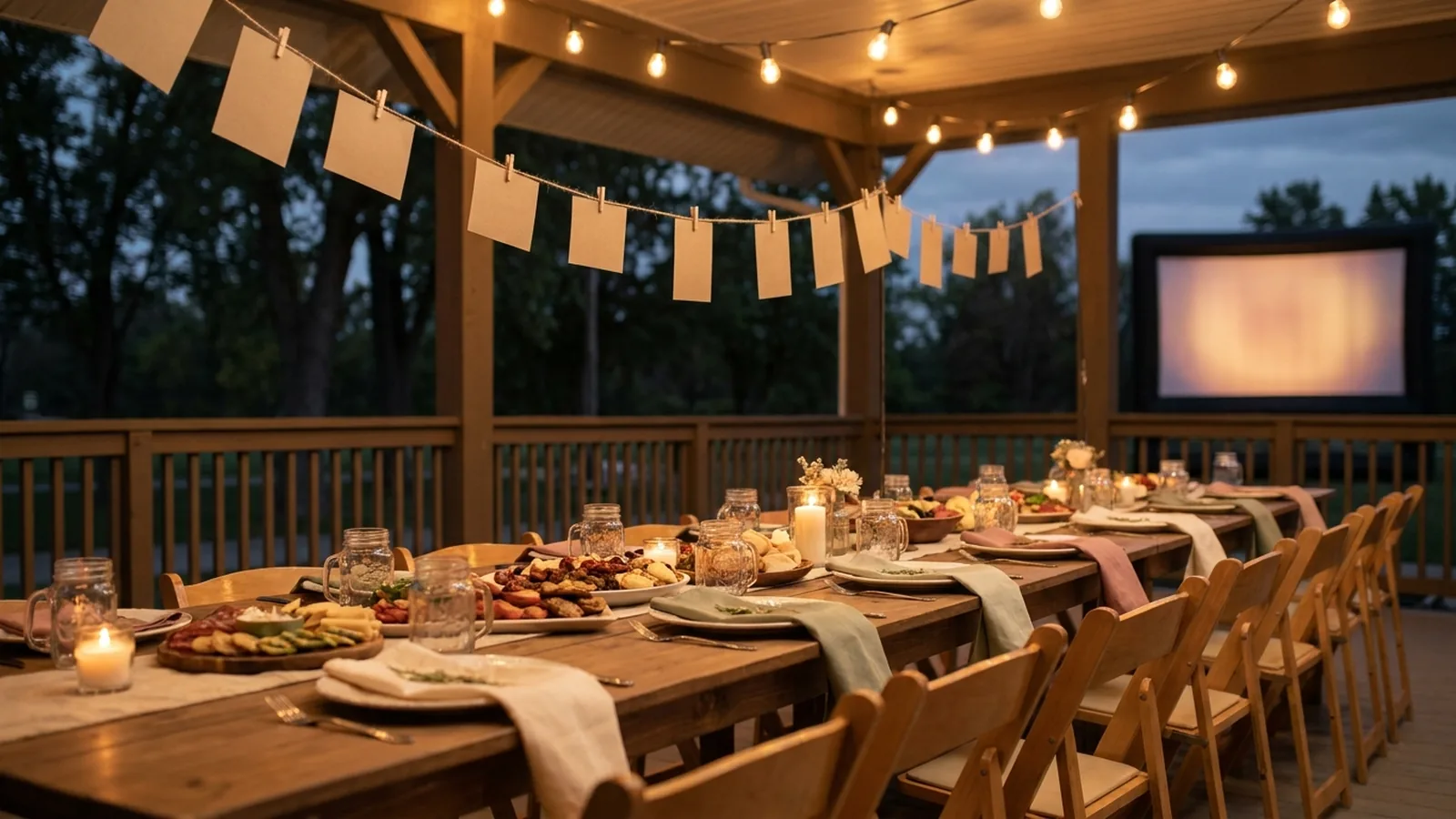
- A projector and a white sheet outside after dusk: reunion-movie-night energy, and the guess-who round plays huge on a big screen.
- A laptop looping in the hospitality room or kitchen: no setup beyond power, and it runs all weekend.
- The share link, sent to relatives who could not travel: they follow the screen from home and upload their own photos anyway — the reunion stops being limited to who could attend.
Make it work for every generation
- Assign one helper per generation — the natural translators — and let them carry the code to their own people.
- Print the sign in large type with plain words: point your camera here, no app needed.
- Walk each grandparent through one upload at check-in; the second one they will do themselves, and they will do it all weekend.
- Keep a few chairs near the screen. The slideshow is where the oldest generation will want to sit, and making them stand to watch the family is a bad trade.
- Let the kids' chapter come from photos the kids took, not photos of them — it is the difference between being in the family and belonging to it.
Privacy, memories, and the morning after
- Say on the sign or invitation who can view the gallery — relatives upload more freely when they know exactly where their photos go.
- Confirm the memorial segment with the immediate family before the weekend, not during it; some losses need a heads-up rather than a surprise.
- Keep a host able to pause uploads or remove a photo mid-weekend, and make sure more than one person knows how.
- Treat the gallery as a reunion collection, not permanent storage — download the photographs the family wants to keep before the access window closes.
Family reunion slideshow checklist
- Eight weeks out: name branch captains and assign each household its chapter and photo count.
- Collect the generations line, homestead photos, and then-and-now pairs first — they anchor every other chapter.
- Set the reel at fifteen to twenty minutes and cut slides freely; the archive can live on the live screen instead.
- Pick the opener, the one sentimental center, and the closer before filling the songs between them.
- Create the event gallery and load the reel's photos as the live slideshow's opening sequence.
- Generate the QR code, keep its quiet zone clear, and print several large-type signs.
- Test the printed sign on one iPhone and one Android, with a real upload on each.
- Connect the TV or projector before the welcome night and let the screen loop all weekend.
- Announce the code at the welcome and again just before the banquet premiere.
- After the reunion, download the gallery and share the best photos back to the branches that contributed.
How Momently handles the live side
Momently gives a family reunion one guest link and QR code. Relatives open a phone-first upload page in their browser — no app download, no account — and their photos join the same gallery as the memory reel. The host's chosen photos play first, guest photos follow in a fair shuffle, and the whole weekend loops on the reunion's screen for as long as it runs.
Hosts can pause new uploads, remove individual photos, and configure how the player behaves on the display. Photos are stored as private objects and served through temporary signed links. On supported browsers, guest images are resized and converted before upload, which normally removes embedded location metadata, and HEIC or HEIF photos from iPhones are always converted to JPEG in the browser first.
The simplest version that does both jobs
Ask each branch for its chapter, build the generations line, the homestead chapter, and two more ideas from the list above, and cut the reel at fifteen to twenty minutes. Put those same photographs on a live slideshow as the opening sequence, hand every relative the same QR code, and let the screen run from the welcome mixer to the farewell breakfast. The reel honors where the family has been; the live slideshow captures where the family is now. A reunion with both ends the weekend with something no shoebox ever held: the whole family's story, and the chapter they just wrote together, on one screen.
Questions event hosts ask
How many photos should a family reunion slideshow include?
For the produced reel, plan roughly 150 to 240 photographs — fifteen to twenty minutes at five to six seconds per photo. Longer than that and the room starts drifting. A live slideshow can hold far more, since guest photos arrive and rotate all weekend instead of playing as one sitting.
What songs work for a family reunion slideshow?
Use one upbeat, recognizable opener, one sentimental song at the emotional center, and a celebratory closer. Crowd-tested picks include "We Are Family" by Sister Sledge, "Through the Years" by Kenny Rogers, "Photograph" by Ed Sheeran, and "Celebration" by Kool & The Gang — mix the classics the oldest generation knows with one or two newer songs for the kids.
How do I collect photos from relatives who live far away?
Ask by branch rather than by group blast: give each household a named chapter and a photo count, with a deadline tied to the RSVP date. Have relatives photograph heirloom prints flat near a window instead of mailing them, and put a labeled drop box at reunion check-in for physical photos.
Can relatives add photos to the slideshow during the reunion?
Yes. Print a QR code that opens a browser upload page — relatives scan it with their phone camera and choose photos, with no app or account needed. Their photos join the screen while the reunion happens, which is the half a produced memory reel can never show.
How long should a family reunion slideshow be?
Keep the produced reel to fifteen or twenty minutes — the premiere of a seated room, not an evening. A live slideshow is the opposite: seeded with the reel and left looping, it runs across the whole reunion, collecting guest photos the entire time and ending with a best-of-the-weekend pass at the farewell breakfast.